
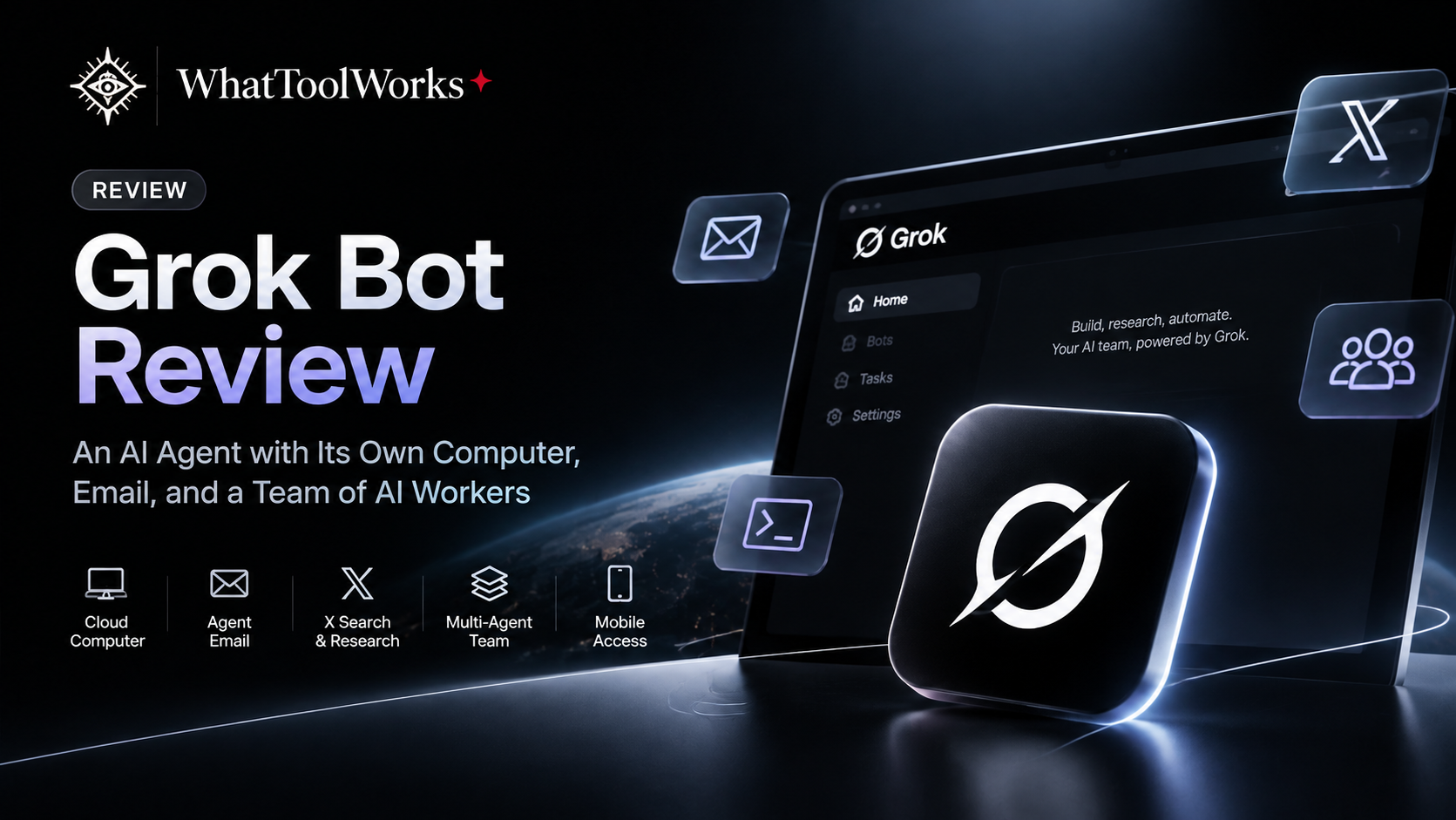
Grok Bot Review: An AI Agent with Its Own Computer, Email, and a Team of AI Workers
A closer look at Grok Bot’s persistent cloud computer, Agent Email, specialized Bots, mobile access, and shared usage allowance.
In this review
Imagine having an AI assistant that doesn't just answer questions but actually has its own computer. It can open websites, log into applications, research competitors, manage files, write code, and even use its own email address to register for online services. More importantly, it can continue working after you close your laptop, allowing you to manage everything from your phone while you're away.
This is the idea behind Grok Bot, an AI agent platform built around persistent cloud computing and multiple specialized Bots. Instead of treating AI as a chatbot that waits for your next question, Grok Bot gives it a working environment where it can take on responsibilities, execute multi-step tasks, and collaborate with other agents. The experience feels less like using another AI assistant and more like managing a small digital team.
What makes this approach particularly interesting is how its features work together. A persistent computer provides a place to work, an integrated email address helps agents interact with online services, powerful search capabilities support research, and application integrations connect everything to your existing workflow. With mobile access, you can stay involved without being tied to a desk.
What Is Grok Bot?
Grok Bot is an AI agent platform designed to act more like a proactive digital teammate than a conventional chatbot. It has access to a persistent cloud computer with a browser, filesystem, and command-line environment, allowing it to interact with websites, applications, and files while carrying out tasks on your behalf.
It is important to distinguish Grok Bot from the regular Grok chat application. The standard Grok experience primarily focuses on conversations and AI assistance, whereas Grok Bot is designed around delegated work, persistent environments, connected tools, and collaboration between specialized agents. You can assign it a responsibility, provide the necessary context, and let it work toward a defined result while remaining available for questions and approvals.
The platform also supports voice conversations, voice messages, reusable Skills, scheduled Routines, and application integrations. This makes it suitable for a much broader range of activities than simple question answering, from competitor research and project coordination to software development and marketing operations.
1. A Real Computer in the Cloud
The most important feature of Grok Bot is its persistent cloud computer. Every Bot on your account works from this environment, which includes a browser, command-line access, and a filesystem. Unlike a temporary browser session that disappears when a task ends, this computer retains files, installed tools, browser sessions, and sign-in states between tasks.
This changes how AI agents can work. For example, you could ask a Research Bot to investigate ten competitors, save its findings in a structured folder, prepare a comparison spreadsheet, and then create a presentation using the same materials. When you return later, the agent can continue working with the existing files and context instead of starting from an empty environment.
Another major advantage is that cloud tasks continue running even when your laptop or Grok Bot application is closed. You can leave a long-running task in progress, go out, and return later to review the results. You can also open the computer preview to watch the agent navigate websites, type, and execute actions.
All Bots on one account share the same persistent cloud computer. Each Bot has its own working screen and conversation, but files, browser sessions, and command-line credentials are shared. This makes collaboration convenient, although separate Bots should not be treated as separate security environments.
Why Persistent Computing Matters
Many AI tools can generate code, analyze information, or provide operating instructions, but they often leave the actual execution to the user. A persistent computer allows an agent to move beyond producing recommendations and start carrying out the steps required to complete a task.
This is particularly useful for workflows involving multiple websites, files, scripts, and applications. Instead of repeatedly downloading materials, reopening websites, and explaining the same process, the agent can work from an existing environment and maintain continuity across sessions.
2. Powerful Web Research and Native X Integration
Search and information gathering are among the areas where Grok Bot becomes particularly interesting. An AI agent is only as useful as the information it can access, and Grok benefits from its connection to the broader Grok search ecosystem and the X platform.
For research-heavy tasks, Grok can investigate websites, collect information, compare products, and organize findings. Its search capabilities are particularly useful when you need to discover recent discussions, follow developments, or understand what people are saying about a product or topic.
Its integration with X adds another important advantage. Since Grok and X belong to the same ecosystem, Grok Bot can work with public X information through its built-in search capabilities. It can help discover:
- Public posts and discussions.
- User profiles and relevant accounts.
- Brand mentions and product feedback.
- Trending topics and emerging conversations.
- Recent news and industry developments.
This creates useful possibilities for social listening, competitor monitoring, brand research, and tracking emerging trends.
For example, you could ask a Research Bot to investigate how users are discussing a competitor's latest product launch. It could collect relevant public posts, identify recurring complaints, summarize customer reactions, and prepare a report with links to the original discussions.
Instead of relying only on a company's official website or marketing materials, you can also examine conversations happening around the product.
Additional account-specific information, such as private messages, bookmarks, and a personal timeline, requires the relevant X connection and permissions. This distinction is important because public search and private account access are not the same thing.
For product managers, marketers, founders, and researchers, this combination of web research and X discovery can be especially valuable.
3. Its Own Email Address: A Practical Solution for Online Workflows
One particularly useful feature of Grok Bot is its built-in Agent Email system. Each account can claim one dedicated email address under the mail.grokbot.com domain, which its Bots can use to receive, read, search, and send messages.
This is more than a convenient inbox. Many online services require an email address before users can access their features, and some workflows also involve confirmation links or one-time verification codes. With its own mailbox, Grok Bot can use an email address for supported service registrations and retrieve verification information with the user's approval, reducing the amount of repetitive manual work involved.
For example, imagine asking a Research Bot to investigate several software platforms. It may need to access product documentation, explore supported trial environments, or create an account on a service that permits automated registration. The Bot can use its own email address where appropriate, receive the confirmation message, and continue once the required approval is provided.
The email system can also support ongoing administrative work. Bots can collect receipts, newsletters, reports, and service notifications, then summarize important information or prepare draft replies. Plus-addressing is supported as well, so an address such as [email protected] can deliver messages to the same mailbox while helping distinguish different services.
There are a few limitations worth knowing:
- Each account can claim only one permanent email address.
- The address cannot be renamed or deleted.
- Incoming messages do not automatically start a task; users must configure a Routine to monitor relevant emails.
- Websites that require CAPTCHA, passkeys, single sign-on, or explicit human verification may still require the user to take control.
This makes Agent Email a useful part of the automation workflow, rather than simply another inbox.
4. A Team of Specialized AI Agents Working Together
Perhaps the most interesting aspect of Grok Bot is how multiple Bots can collaborate. Instead of relying on a single general-purpose assistant for every task, you can create specialized Bots with different responsibilities and let them work together on larger projects.
Imagine running a digital product business. You could create a Research Bot to investigate competitors and collect market information, an Operations Bot to organize documents and prepare reports, a Coding Bot to handle technical tasks, and a Creative Bot to produce marketing materials. Rather than switching between separate AI conversations and manually transferring information, you can let the Bots hand work to one another through their shared environment.
For example, the Research Bot might identify five competitors, compare their pricing, and save the findings in a shared folder. The Operations Bot could turn that research into a structured report, while the Creative Bot prepares a presentation or supporting visual materials. A primary Bot can coordinate the work, summarize progress, and bring important decisions back to you for review.
Example: Building a Small AI Team
| Bot | Responsibility | Example Tasks |
|---|---|---|
| Research Bot | Market intelligence | Competitor research, pricing comparisons, market analysis |
| Coding Bot | Technical development | Code changes, debugging, scripts, website maintenance |
| Creative Bot | Content production | Images, videos, presentations, campaign materials |
| Operations Bot | Administration | File management, email summaries, reports |
| Marketing Bot | Growth operations | Campaign planning, SEO research, marketing drafts |
| Primary Bot | Coordination | Task assignment, progress summaries, approvals |
This approach is particularly useful for complex projects involving research, content creation, development, and reporting. You remain responsible for setting priorities, defining the desired result, and approving important actions, while the Bots handle individual assignments in parallel.
It is not a fully autonomous company that can replace every human role, but it offers a practical way to build a small AI-powered team.
5. Work from Anywhere with the Grok Bot Mobile App
A cloud-based agent becomes much more useful when you don't need to sit in front of the computer to manage it. Grok Bot's mobile applications for iOS and Android connect to the same Bots, conversations, Routines, connectors, and cloud computer used by the desktop application.
This means you can delegate a task from your phone, leave home, and check its progress while you're away. You can send new instructions, answer questions from your Bots, review completed work, approve sensitive actions, and inspect files or generated materials. Voice messages and live voice conversations also make it easier to communicate when typing isn't convenient.
For example, imagine you're travelling and suddenly remember an important change that needs to be made to your website. You can message your Coding Bot from your phone, explain the required change, and let it continue working on its cloud computer. If it encounters a problem or needs clarification, it can ask you through the conversation, and you can respond without returning to your laptop.
You can also open the cloud computer from your phone and take over when a task requires your direct involvement, such as entering a password, completing a verification step, or approving a sensitive action. Closing the mobile app or your laptop does not stop work already running in the cloud.
For people managing several projects, this flexibility can make a significant difference. Your AI team can continue working in the background while you remain available to guide it from wherever you are.
6. Connected Applications and Custom Integrations
Grok Bot becomes considerably more useful when connected to the applications where your actual work happens. Instead of relying entirely on browser automation, it can use supported integrations to access services such as Gmail, Google Drive, Google Calendar, Google Docs, Google Sheets, Slack, and Notion.
These integrations allow Bots to perform more structured tasks. A Research Bot could collect information and organize it in Google Drive, while an Operations Bot prepares a document and updates a project page in Notion. A Marketing Bot could review a calendar, prepare campaign materials, and leave a draft message in Slack for approval.
The platform also supports custom tools through MCP and APIs, which makes it possible to connect additional services beyond the standard integration catalogue. For services without a connector, the Bot can use its cloud browser to interact with the website directly.
When an official connector is available, it is generally preferable because structured integrations are often more reliable than manually navigating a website.
This creates a flexible working environment that can be adapted to different projects. Rather than forcing every workflow into one fixed set of features, Grok Bot can combine connected applications, browser operations, files, scripts, and reusable Skills according to the task.
7. From One-Time Tasks to Repeatable Workflows
Grok Bot supports Skills and Routines, which help turn successful tasks into repeatable processes. A Skill stores instructions, decision rules, required inputs, expected outputs, and safety boundaries, while a Routine determines when a Bot should execute a workflow.
For example, you could ask a Research Bot to prepare a competitor report manually. Once the process is reliable, you can save it as a Skill that explains which websites to check, what information to collect, how to compare pricing, and how to format the final report. You can then create a Routine that runs the process every Monday morning and returns an updated report.
Routines can be scheduled or triggered by supported events, including messages, emails, webhooks, and events from connected services such as GitHub, Linear, Sentry, and PagerDuty. They run in the cloud, so the workflow does not depend on keeping your personal laptop open.
For recurring competitor monitoring, project tracking, weekly reporting, and important update checks, this can significantly reduce repetitive work. Users can also review and test workflows before relying on them for ongoing automation.
8. What Can You Actually Do with Grok Bot?
The most useful way to understand Grok Bot is to look at the types of work it can support. Its cloud computer, connected applications, and multiple Bots can be combined into workflows that involve research, technical development, content creation, and business operations.
Competitor Research and Market Analysis
A Research Bot can investigate competing products, visit their websites, collect pricing information, review product features, and organize findings into a comparison document. You can then ask another Bot to identify differences, prepare a positioning analysis, or turn the research into a presentation. This is useful for product managers, founders, marketers, and anyone who regularly needs to understand a market.
Software Development and Technical Work
A Coding Bot can work with code files, repositories, scripts, command-line tools, and supported development applications. A product manager could describe a feature requirement, ask the Bot to investigate the existing implementation, and have it prepare a proposed change or technical plan. Developers can use the same environment for debugging, repetitive maintenance, and other tasks that benefit from persistent files and project context.
Video, Image, and Creative Production
Creative work can also become part of an agent workflow. A Bot can help prepare scripts, organize reference materials, generate prompts, and coordinate image or video production through connected services and supported tools. For example, a marketing workflow might research a product, prepare a video concept, generate visual assets through an appropriate image or video platform, and organize the results for review.
Grok Bot is not itself a dedicated video-generation model; its value is in coordinating the tools and steps required to complete the creative task.
Reports, Presentations, and Business Operations
Bots can also help prepare presentations, organize documents, summarize email, update project records, and coordinate routine business tasks. Because the environment persists, the same Bot can continue working with previously saved materials and established instructions. This is particularly useful for people who manage several projects and want to delegate repetitive work without losing continuity.
9. Grok Bot vs. Meta Muse: Two Different Approaches to AI Agents
Grok Bot and Meta Muse both use dedicated cloud-computing environments, but their product philosophies are quite different. The distinction is not simply about which one has more features; it is about the kind of work each agent is designed to handle.
Grok Bot feels more like a technical workbench for getting things built and executed. Its persistent computer, command-line access, multiple specialized Bots, X research integration, and connected development tools make it particularly interesting for developers, founders, product managers, marketers, and people who manage complex digital projects. It is well suited to research, coding, automation, content production, and workflows that require substantial computer interaction.
Meta Muse takes a more personal and lifestyle-oriented approach. It is designed to help people manage everyday responsibilities, remember personal preferences, plan activities, organize travel, handle shopping, and make progress on longer-term goals. Meta describes Muse as a personal AI agent that learns from conversations and works across the applications people use every day, including through the Muse app and WhatsApp.
Muse also runs on its own dedicated cloud computer, called Muse Secure VM, and can continue working after the app is closed. It can help with tasks such as sending emails, booking travel, organizing shopping, and preparing plans based on personal preferences. This makes it feel closer to a personal life assistant than a technical agent designed primarily for building and operating digital projects.
Meta Muse Has a Free Usage Allowance
Another reason Muse is interesting is its free access. Meta currently offers a limited free usage allowance, allowing users to try the agent without immediately subscribing. Once the allowance is reached, users may need to wait for it to refresh or upgrade to a paid plan for additional usage. Exact limits and availability can vary by account and region.
This makes Muse attractive for people who want to experiment with a personal AI assistant before paying for a subscription. Its focus on everyday tasks also makes it easier to understand for users who don't have a technical background.
Important Limitations of Meta Muse
Muse is still a relatively new product, and its broader access to personal applications creates important privacy and reliability considerations. Recent reporting has raised questions about unexpected messages, inaccurate purchase information, and possible context-handling problems. Meta has described some reported incidents as isolated and said it has addressed certain issues. The available reporting has not established that every reported incident involved actual data exposure.
This does not mean every Muse user will experience these problems, but it does show why permission controls, activity logs, and approval requirements matter for personal AI agents. Users should carefully review connected applications and avoid granting broader access than necessary.
Which One Should You Choose?
| Area | Grok Bot | Meta Muse |
|---|---|---|
| Main Focus | Technical work and execution | Personal life assistance |
| Cloud Computer | Persistent shared cloud computer | Dedicated Muse Secure VM |
| Multi-Agent Workflow | Multiple specialized Bots | Personal agent experience |
| Research | Strong web and X research integration | Personal information and everyday research |
| Coding & Development | Stronger fit for technical workflows | Not its primary focus |
| Everyday Tasks | Supported through tools and integrations | Core product focus |
| Mobile Experience | Mobile Bot management and voice interaction | Personal assistant through app and WhatsApp |
| Free Access | Plan-dependent access | Limited free usage |
| Best For | Builders, developers, founders, and operators | Everyday users and personal productivity |
Neither product is universally better. Grok Bot is more appealing if you want an AI team that can operate a computer and complete technical or business workflows, while Muse is more suitable if you want a personal assistant that helps manage everyday life.
11. What Are the Limitations of Grok Bot?
Grok Bot offers a powerful working environment, but it is not a completely autonomous employee that can safely handle every situation without supervision. Its effectiveness depends on the quality of instructions, available tools, connected permissions, and the complexity of the task.
The shared cloud computer is convenient for collaboration, but it also means that files, browser sessions, and command-line credentials can be accessible to all Bots under the same account. Users should avoid storing unnecessary sensitive information in the shared environment and should review which applications each Bot can access.
Some operations still require human involvement. Websites may request CAPTCHA verification, passkeys, single sign-on, or approvals on another device, and these steps may require the user to take control. Sensitive actions such as sending external messages, purchasing products, or changing account settings should also have appropriate approval boundaries.
Usage costs are another practical limitation. Under the unified subscription, heavy agent workloads can consume the shared weekly allowance quickly. Users who plan to run several Bots, perform extensive research, or execute long coding tasks should monitor consumption and configure spending controls before delegating large jobs.
Finally, research and generated content still require verification. An agent can collect incorrect information, misunderstand a requirement, or produce an incomplete result. For professional work, the best approach is to use Grok Bot as an execution partner while keeping human review in the decision-making process.
Final Verdict: Is Grok Bot Worth Trying?
Grok Bot is one of the more interesting examples of how AI agents are moving beyond the traditional chat interface. Its combination of a persistent cloud computer, specialized Bots, a dedicated email address, native X research capabilities, connected applications, and mobile access creates a practical environment for delegating real work.
Its biggest advantage is the way these features work together. A Bot can research competitors, use X to understand public conversations, collect information through connected applications, organize files, and prepare reports, while other Bots handle coding, content production, or operations. You can remain involved from your phone, answer questions, approve sensitive actions, and redirect the work without having to sit at your desk.
However, Grok Bot is not necessarily the best choice for someone who only wants a friendly everyday assistant. Its strongest appeal is to people who want to build, research, automate, and execute more complicated workflows. For that type of user, it can feel much closer to having a small technical team than using a conventional AI chatbot.
The comparison with Meta Muse makes this distinction especially clear. Muse is designed to help people manage personal life and everyday responsibilities, while Grok Bot is more focused on getting digital work done. Both approaches are valuable, but they serve different needs.
The bigger shift is that AI is gradually moving beyond answering questions. Agents are being given their own computers, communication tools, persistent workspaces, and the ability to collaborate with other agents. Grok Bot is an interesting example of what this new way of working can look like.
Frequently Asked Questions
What is Grok Bot?
Grok Bot is an AI agent platform that gives Bots access to a persistent cloud computer, connected applications, files, and browser tools. It allows multiple specialized Bots to collaborate on tasks such as research, coding, marketing, and business operations.
Is Grok Bot the same as the regular Grok chatbot?
No. The regular Grok application is primarily designed for AI conversations, while Grok Bot is built around delegated work and computer use. It can interact with websites and connected applications, maintain a persistent working environment, and coordinate multiple specialized Bots.
Can Grok Bot work when my laptop is closed?
Yes. Grok Bot's tasks run on its cloud computer, so background work and scheduled Routines can continue when your laptop or application is closed. You can return later through the desktop or mobile app to check progress and review results.
Can Grok Bot use its own email address?
Yes. Each account can claim one dedicated mail.grokbot.com address for its Bots. They can use it to receive, read, search, and send email, including retrieving verification information for supported service registrations with user approval.
Can Grok Bot search X posts?
Yes. Its built-in public X search can search posts, profiles, mentions, trends, and news. Private account information, such as DMs and bookmarks, requires the relevant X connection and permissions.
Can multiple Grok Bots work together?
Yes. You can create specialized Bots with different responsibilities, and they can collaborate or hand work to one another. They share one persistent cloud computer per account, including files and browser sessions, while keeping separate conversations and working contexts.
Can I control Grok Bot from my phone?
Yes. The mobile apps connect to the same Bots, conversations, Routines, connectors, and cloud computer as the desktop application. You can send instructions, use voice chat, attach files, review results, and take over the computer when needed.
Does Grok Bot have a separate usage allowance?
Usage depends on the subscription arrangement. Under The X Subscription, eligible Grok, Grok Bot, and Cursor usage draws from a shared weekly allowance. Legacy plans may use different metering arrangements, so users should check their account's billing and usage settings.
Is Meta Muse free?
Meta currently provides a limited free usage allowance for Muse. Once the allowance is reached, users may need to wait for it to refresh or upgrade to a paid plan. Exact limits and availability can vary.
What is the difference between Grok Bot and Manus?
Grok Bot focuses on multiple specialized Bots working across a shared persistent cloud computer and connected applications. Manus Cloud Computer provides a persistent Ubuntu virtual machine suited to running applications, scripts, and long-running services. Both support cloud-based work, but their workflows and interaction models are different.
Official Sources & Product Documentation
Grok Bot
- Grok Bot Official Website
- Grok Bot Overview
- Computer and App Integrations
- Grok Bot and X Integration
- Grok Bot Usage and Billing FAQ
- The X Subscription Pricing
- Shared Usage Limits
Meta Muse
Other Cloud AI Agents
Last reviewed: November 22, 2026. Product features, pricing, usage allowances, and regional availability may change. This guide combines official product documentation with practical editorial observations. Product-specific hands-on tests and performance benchmarks should be added separately when available.